
Click this link to learn who qualifies for Community Cards.

There is no expedited service for processing Community Card applications. The patron will be notified by email when their card is ready for pick up.
Find Staff FAQ directions for helping patrons complete the payment process here:
 Visual Directions:
Scan with your phone to take these directions with you. Be sure you are logged in to Box.

The block is now removed. You can check this by swiping the patron card to confirm no block message warning appears.
Community cards will now be fitted with RFID tags to allow the cards to be scanned rather than staff having to type card numbers in manually.
The RFID tags will not read on the tap readers in the same way CatCards do. Since it is the same tag as what is in the books, it reads the same way as books do. For the self-checkout machines, after the patron selects Check out, they can simply place the card on the bed of the machine.
Cards will always be tested to make sure they work with the scanners before they are placed in the envelope to be given to patrons. Instructions on how to use the cards will also be included by email to users.
At this point, all active community user cards should have RFID tags. Any community users with a card that does not have an RFID tag have been contacted within the last year about visiting the library to have one added, and have not yet visited in person to do so.
A block has been placed on the accounts of all active community users with cards that do not yet have an RFID tag. See below.

This block prevents:
Please do not override this block. We want for all active community user cards to have RFID tags.
Let patrons know to contact the systems@lib.arizona.edu email address, or try to locate Lucy and Mona via slack/email/phone. If one of them is available, they will do their best to meet with the patron right away.
Accounts with a user group of "Generic" are created for the sole purpose of adding charges for services by 3D Printing staff and CATalyst staff. In addition, CATalyst staff use these accounts to track certifications taken.
These types of accounts do not grant circulation privileges. They are for non-UA users who don’t have and don’t wish to purchase a UAL card.

General Questions
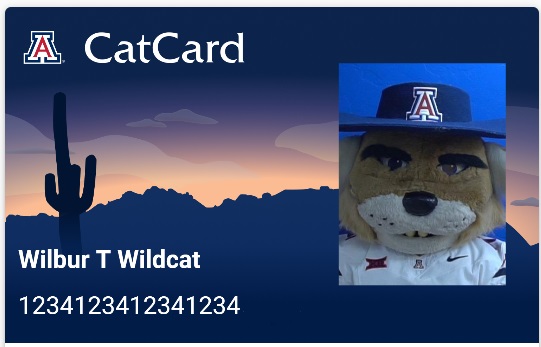
If patrons are wondering which card option is best —digital or physical—or have other questions about card types and policies, refer the patron to the CatCard Office website or the CatCard office. They are the best source for up-to-date and official information.
Library Access Issues
If a CatCard (digital or physical) isn't granting access to library spaces—such as entrances outside regular hours or specific rooms you’re authorized to enter— contact systems@lib.arizona.edu or submit a ticket via the Helpline. Be sure to include the door location and the date/time the issue occurred and the person's UA NetID. The appropriate staff members will assist or escalate as needed.
Questions from Library Users
If patrons experience issues related to borrowing, access, or using their card within the library, please create an AskUs ticket that will be forwarded to the Systems Queue.
Some of our users have designated other individuals as 'proxy' users, which allows others to check out materials on their behalf. The patron acting as the proxy should already have the subsequent account added to their record in Alma.
Follow these steps to access a proxy account.
When patrons lose or misplace their CatCards, we can place a block/freeze on their account to prevent it from being used. To do this, first bring up the patron's Alma account.
1) On the right side of the screen, click on their User ID number.

2) Once you have opened up their User Details, click on the Blocks tab. From there, click the button with a plus sign to Add Block.

3) A small pop-up will open allowing you to add a block. Under Block Description, click the dropdown menu and select Lost card.

4) From there, you can click Add and Close.
5) Finally, be sure to click the Save button in the top right corner.
We can place this block over the phone, but patrons will need to come into the library in person and present their CatCard to have the block removed.

Main Library | 1510 E. University Blvd.
Tucson, AZ 85721
(520) 621-6442

University Information Security and Privacy
© 2023 The Arizona Board of Regents on behalf of The University of Arizona.


